Configure Load Status Update Emails
Configure Load Status Update Emails
Access needed: Permission to connect or manage email settings for your Load Manager user or company.
Load status update emails let Load Manager send an email when a load reaches a selected load status. Use this setup when you want customers or internal team members to receive automatic or reviewable updates as loads move through your workflow.
Before You Begin
- Make sure at least one user account has valid email settings if you want updates sent from a company user account.
- Decide which load statuses should trigger an update email.
- Decide who should receive the default update emails: Customer, Sales Rep, Dispatcher, Company, or a combination of those options.
- If customer contacts should receive updates, confirm their email addresses are entered on the customer profile and marked to receive load status updates.
Open Load Status Settings
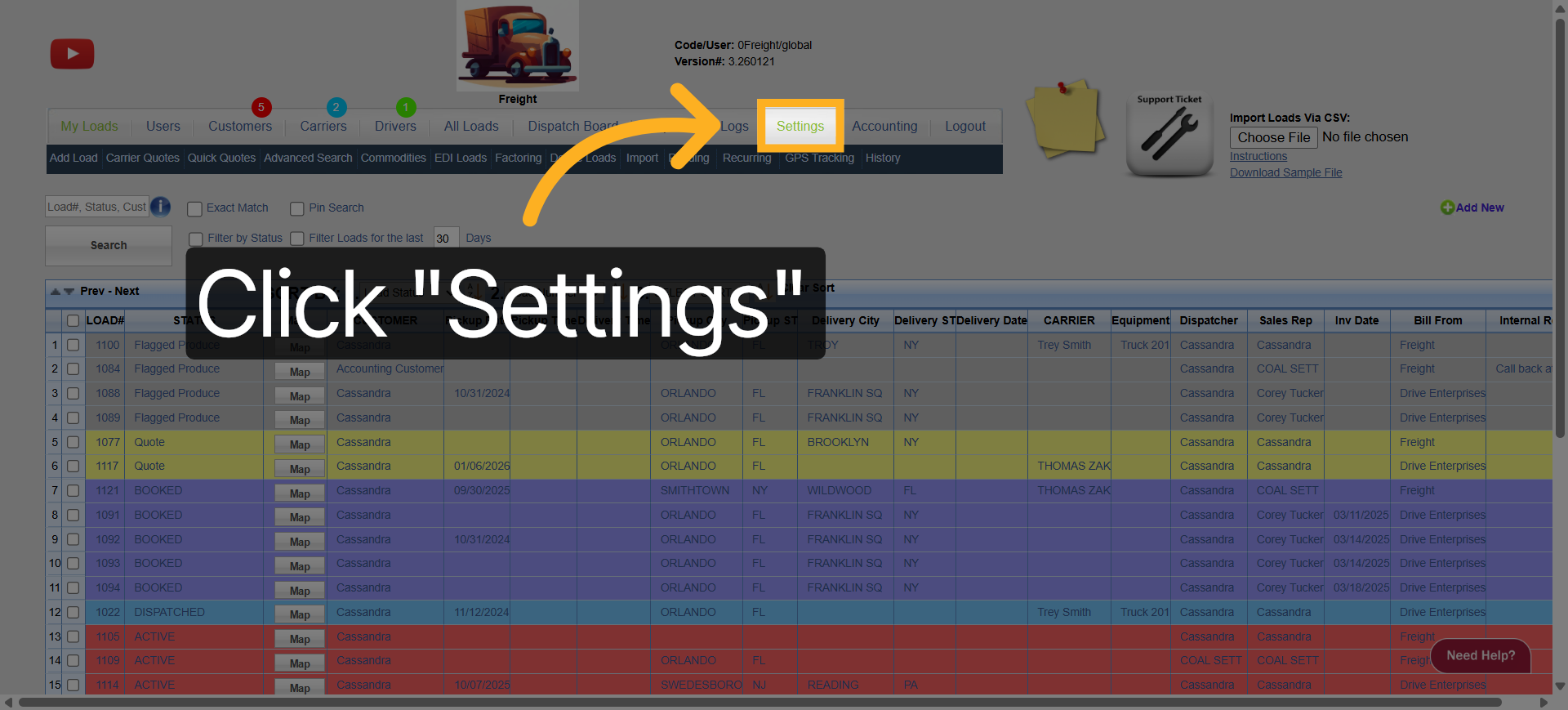
- Go to Settings.
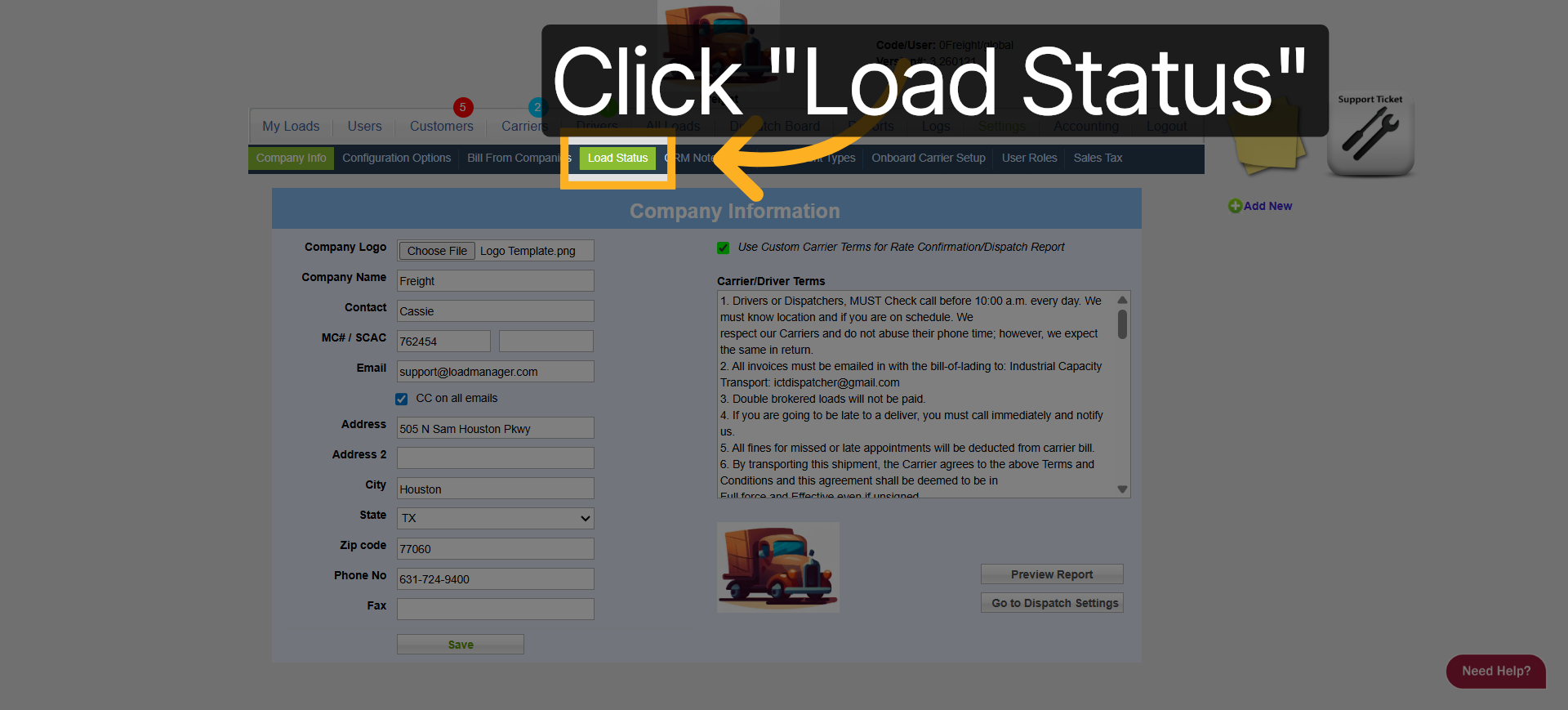
- Click Load Status.
- Review the list of load statuses.
Choose Which Statuses Send Emails
- Find the load status that should trigger an email.
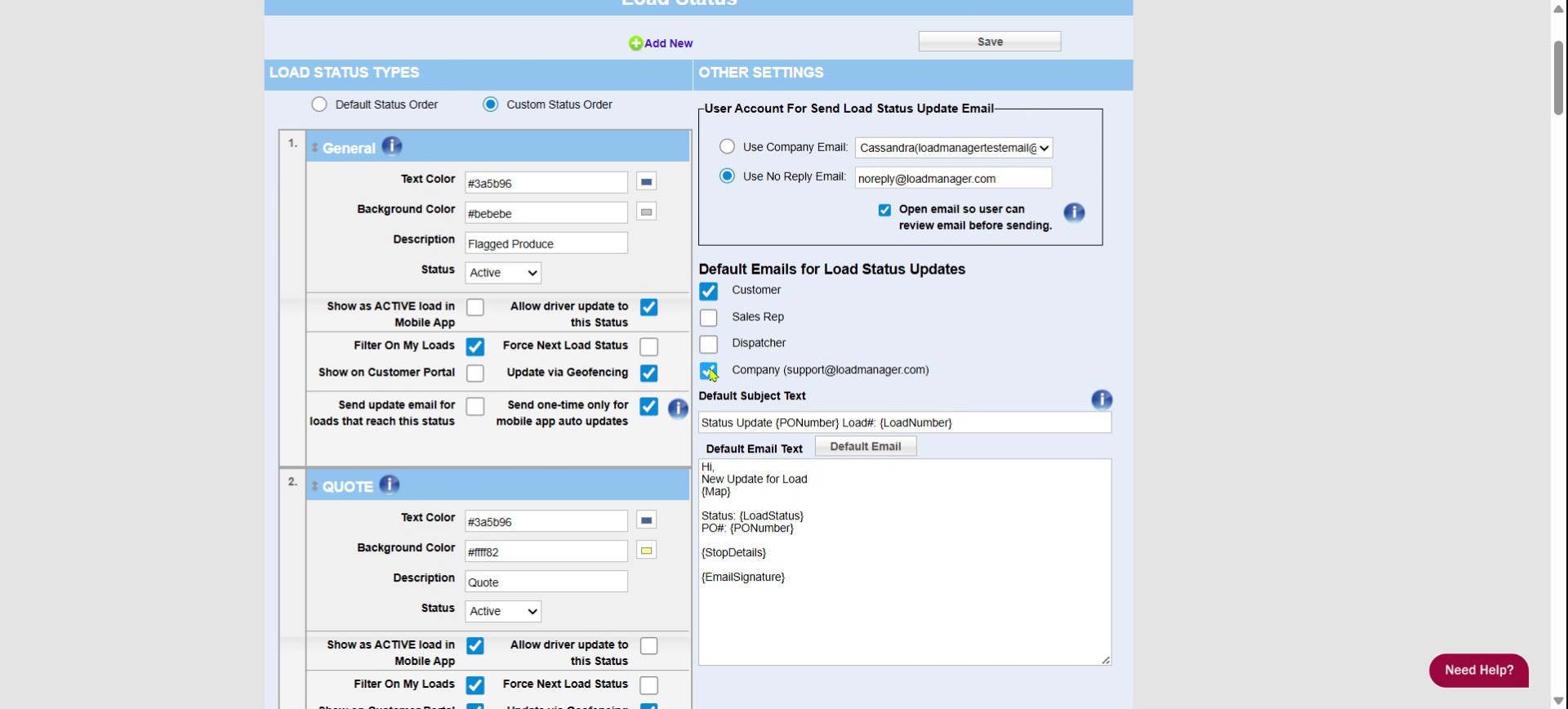
- Turn on Send update email for loads that reach this status.
- If the status can be updated automatically from the mobile app and you only want one email for that status, turn on Send one-time only for mobile app auto updates.
- Repeat for each status that should send an update email.
Choose the Sender Account
In User Account For Send Load Status Update Email, choose how Load Manager should send the email.
- Use Company Email: Select the user account Load Manager should send from. The selected account must have valid email settings.
- Use No Reply Email: Send from the Load Manager no-reply email address.
- Open email so user can review email before sending: Opens the email window so a user can review or edit the message before it is sent.
If any status is set to send update emails and a company user account is selected, Load Manager validates the selected user's email setup when you save.
Choose Default Recipients
Under Default Emails for Load Status Updates, choose who should receive update emails by default.
- Customer: Sends to customer contacts marked to receive load status updates. If no matching customer contact is found, Load Manager can use the load/customer contact email.
- Sales Rep: Sends to the sales representative email when available.
- Dispatcher: Sends to the dispatcher email when available.
- Company: Sends to the company email address shown beside the option.
If a load already has a saved email list from a prior load status update, Load Manager can reuse that list for the next update.
Customize the Subject and Message
- Enter the default subject in Default Subject Text.
- Enter the default message in Default Email Text.
- Use available placeholders where you want Load Manager to insert load-specific information.
- Click Save.
Common placeholders include:
- {LoadNumber}: Inserts the load number.
- {LoadStatus}: Inserts the current load status.
- {PONumber}: Inserts the customer PO number.
- {Map}: Inserts a location update link.
- {StopDetails}: Inserts pickup and delivery stop details.
- {EmailSignature}: Inserts the sender's email signature.
Save and Confirm
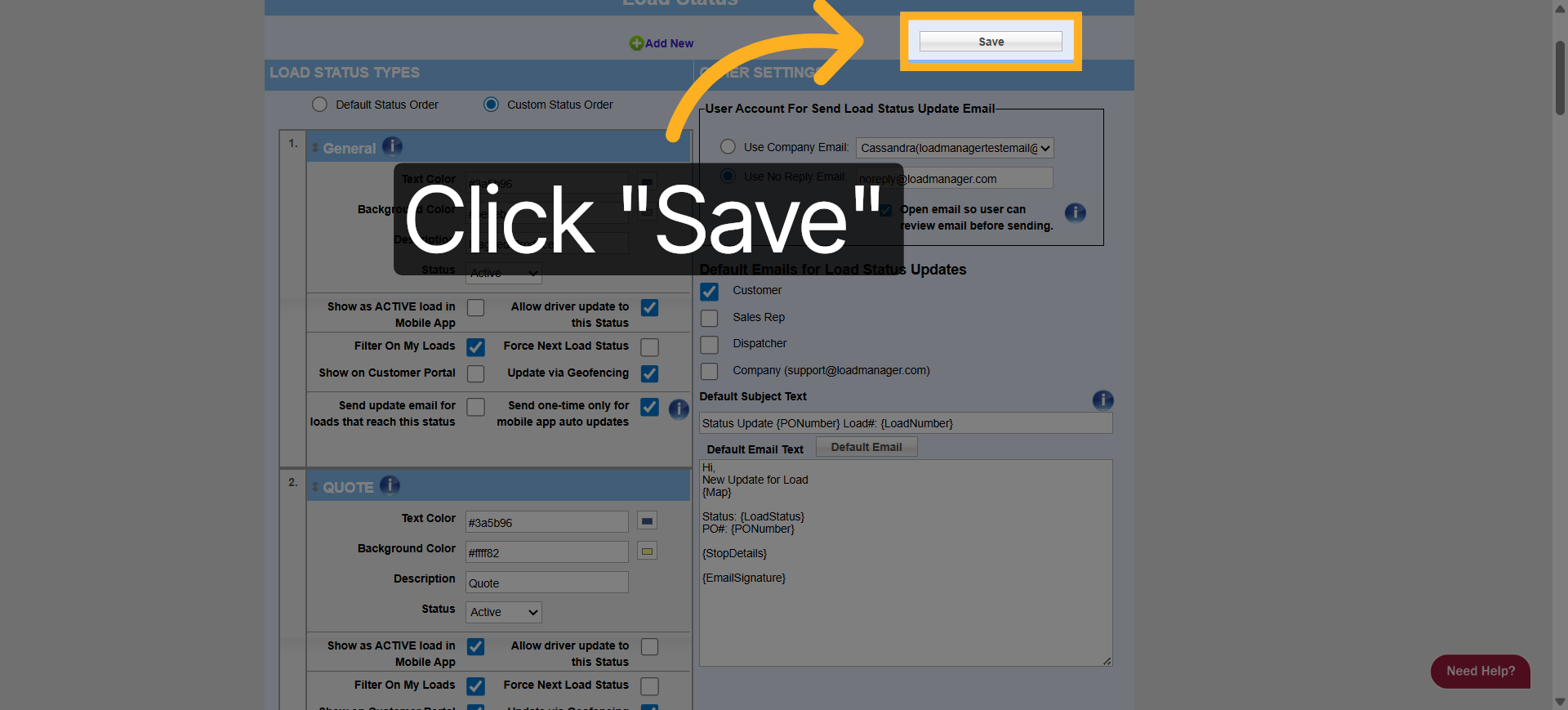
- Click Save.
- Confirm the page shows the settings were saved.
- Open or update a test load to confirm the email behaves as expected for a selected status.
Troubleshooting
- If Load Manager asks you to select a user account, choose a valid user under User Account For Send Load Status Update Email.
- If the selected user account has invalid email settings, update that user's email setup or choose Use No Reply Email.
- If a customer does not receive an update, confirm the customer contact email exists and is marked for load status updates.
- If no email sends for a status, confirm Send update email for loads that reach this status is turned on for that status.
- If the email opens for review instead of sending automatically, check the Open email so user can review email before sending setting.